
# Freelancer bank CSV expense categorizer for bookkeeping review: local automation for turning order data into invoice PDFs
Freelancer bank CSV expense categorizer for bookkeeping review is a local Python CLI automation for Freelancers and solo founders preparing monthly bookkeeping from bank CSV exports. The core pain point is Monthly bank exports require manual categorization before a bookkeeper or accounting tool can review them., and the tool reduces the repeated work of converting order files into reviewable invoice outputs.
Based on the service folder, the deliverable is Buyer-specific v3 Python package that categorizes a monthly business bank CSV, writes bookkeeping import rows, and creates review reports.. Local buyer-deliverable automation. No external API calls, payments, emails, bank connections, or accounting uploads are performed by default.
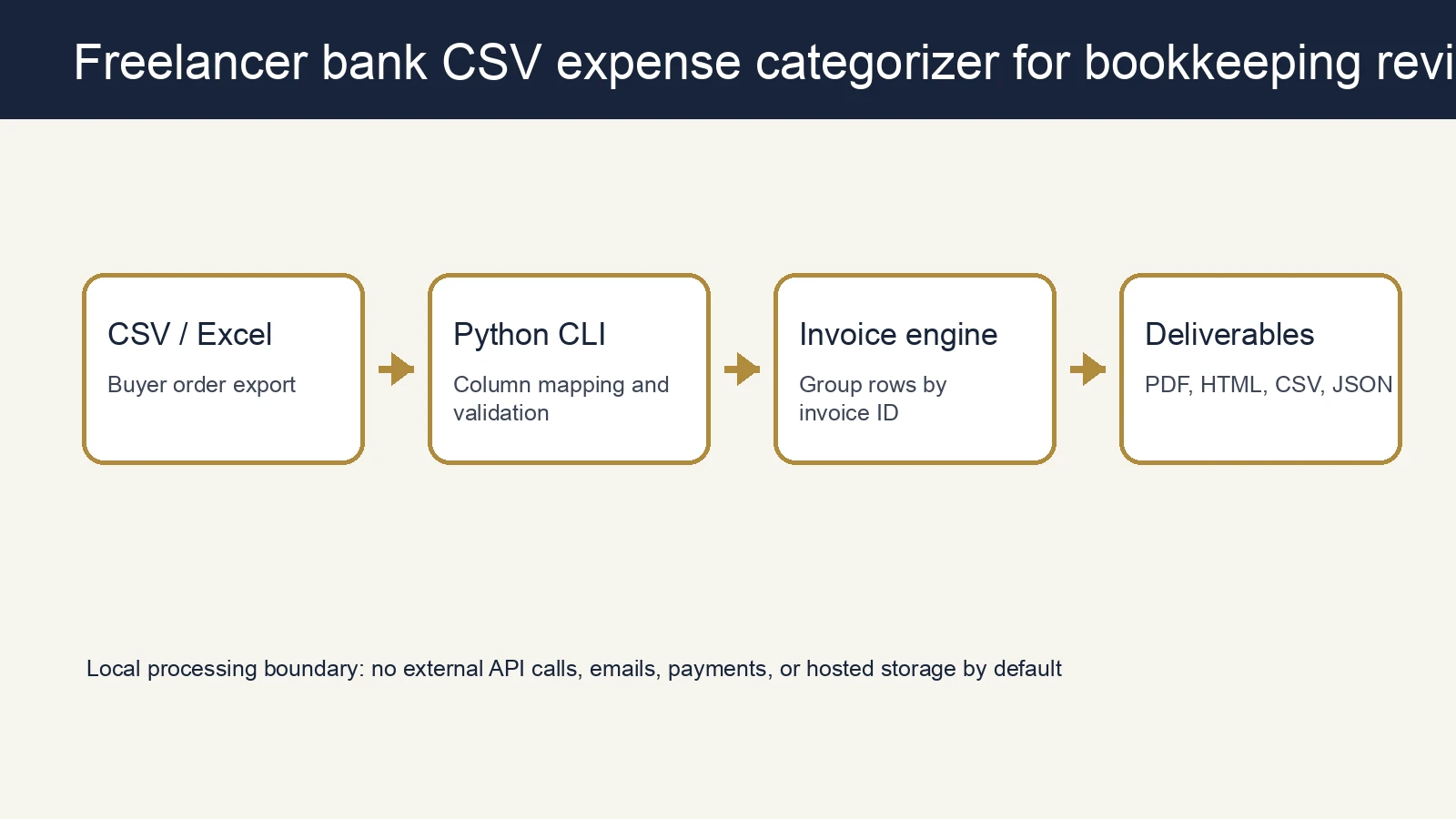
Key takeaways
- A single CLI run replaces manual copying from order exports into invoice templates.
- Outputs remain reviewable: invoice HTML/PDF files, a summary CSV, and a run report.
- Customer data stays in the local processing boundary instead of being sent to external APIs, email, or payment systems.
Problem context
Freelancers and solo founders preparing monthly bookkeeping from bank CSV exports spend time moving order rows into invoice formats. The work is simple, but it is error-prone, and review time grows with order volume.
The source description can be summarized as follows. Buyer-specific v3 package for freelancers and solo founders who export a monthly business bank CSV and need a categorized file for bookkeeping review.
How it works
Order file input
The tool receives a CSV or Excel order file.
Column mapping and validation
It reads fields such as invoice ID, customer name, quantity, and unit price from the configuration.
Invoice generation
Rows are grouped by invoice ID and converted into customer invoice records.
HTML/PDF rendering
Each invoice is written as HTML and PDF.
Review evidence
A summary CSV and run report are stored for bookkeeping review and delivery evidence.
Source structure and functional evidence
Main code files
tool.pysrc/__init__.pysrc/automation_core.pysrc/automation_product.pysrc/product_contract.pysrc/product_runtime.py
Sample inputs
sample_input/freelancer_bank_june.csv
Sample outputs
sample_output/bookkeeping_import.csvsample_output/bookkeeping_ready_import.csvsample_output/categorization_summary.htmlsample_output/categorization_summary.jsonsample_output/categorized_transactions.csvsample_output/execution_manifest.jsonsample_output/expense_summary_by_category.csvsample_output/uncategorized_review.csv
Run example
python3 tool.py --demo --output-dir sample_outputFor a buyer file, pass the input file, config file, and output directory.
python3 tool.py \
  --input /path/to/orders.csv \
  --config sample_config.json \
  --output-dir /path/to/generated-invoices
Outputs
- Invoice HTML files per customer invoice
- Invoice PDF files per customer invoice
invoices_summary.csvrun_report.json- A configuration file adjusted to the buyer's column names
Operating boundary
This is a deliverable local tool. Email sending, payment collection, accounting SaaS integration, and external uploads are not part of the default scope. A good buyer delivery includes sample data and a configuration file, while real data stays on the buyer's own computer.
Next improvements
- Buyer-specific column mapping presets
- Branded logo and payment note customization
- Tax, discount, and shipping rule extensions
- Additional summary report formats beyond PDF